
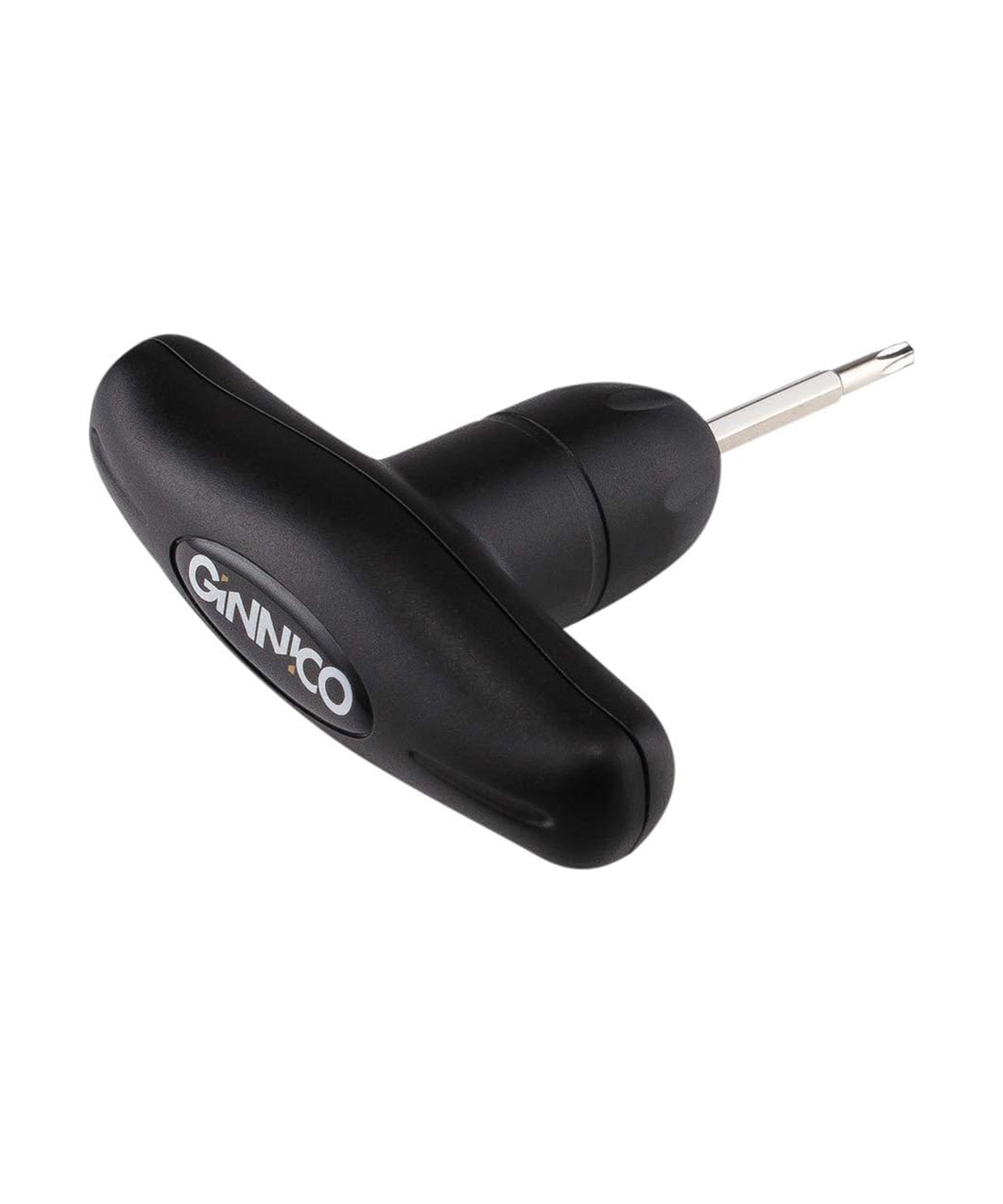
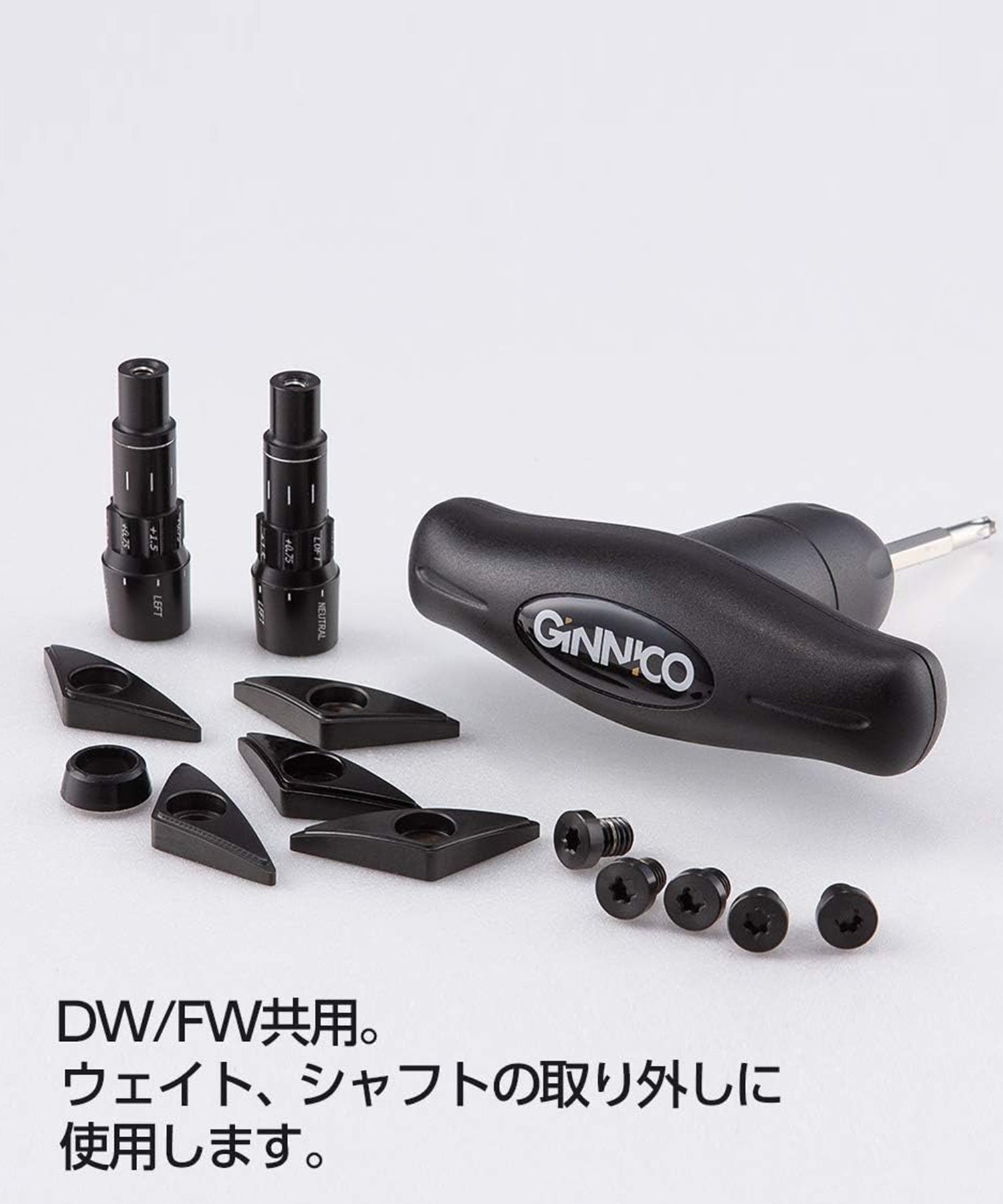
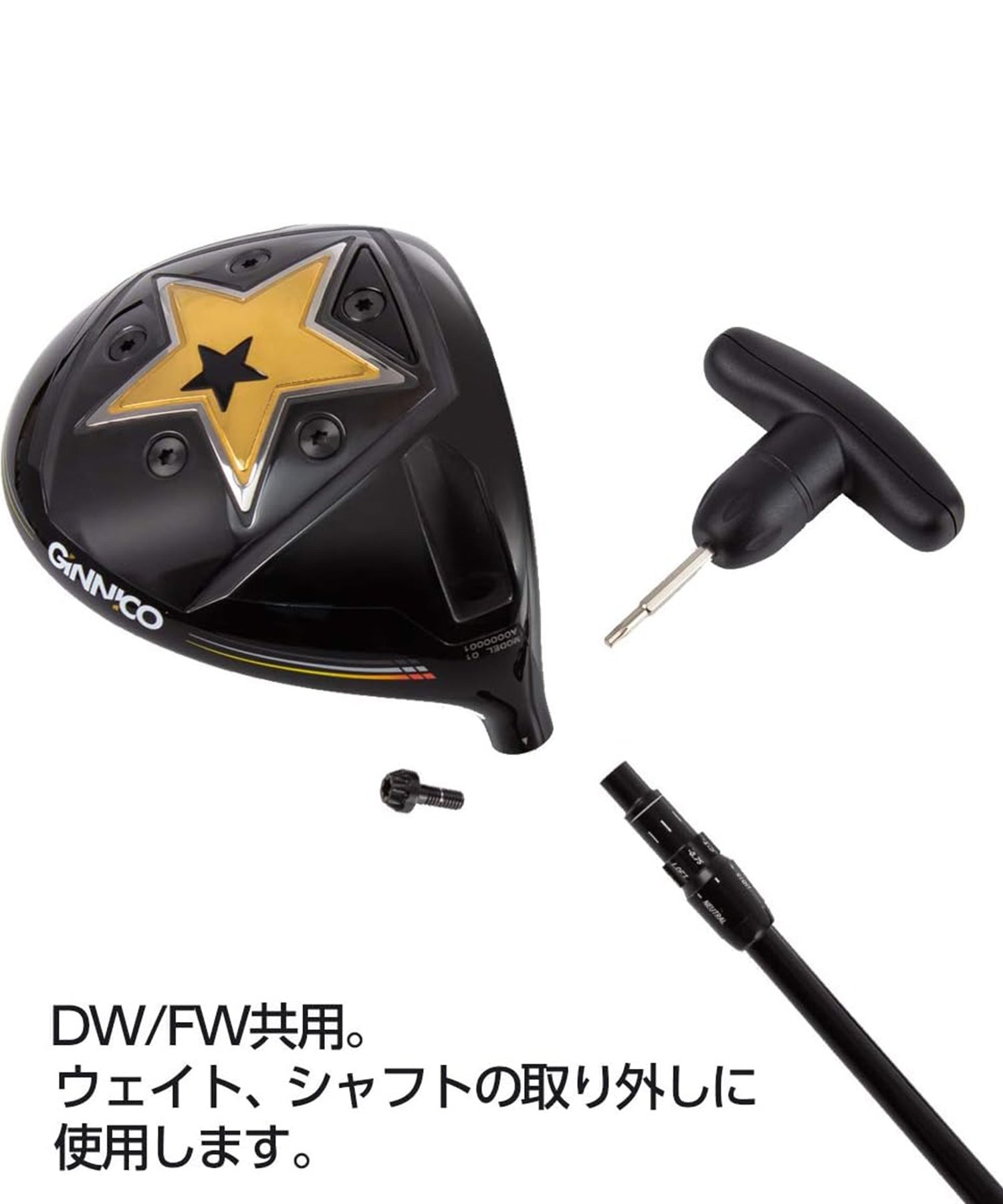

Used to attach and remove replacement weights and plates for GINNICO drivers and fairway woods.
・Please note that the color may peel off during installation.
-Colors may vary slightly depending on the product.
-There may be slight differences in weight depending on the product.
-Please keep out of reach of children.
-Store away from high temperatures, humidity, and direct sunlight.
To remove the weight
Insert the torque wrench straight and firmly into the hole in the weight.
Hold the torque wrench firmly in one hand and rotate the club head counterclockwise while supporting it with the other hand.
Once the screw is loosened and the weight is completely removed, remove the torque wrench from the weight.
To attach the weights
Insert the torque wrench straight and firmly into the hole in the weight and turn it clockwise.
Make sure to turn it firmly until you hear the torque wrench click, which indicates it is securely attached.
The weight screws are designed to be fully secured when tightened to a specific torque.
Note
Do not use any torque wrench or weight other than those provided.
This may cause damage to the weight, unexpected accidents, or malfunctions.
When replacing the weight, make sure that the tip of the dedicated torque wrench is fully inserted into the weight screw hole.
If the screws are not properly engaged, they may break.
Also, be sure to firmly support the torque wrench and club head when replacing it.
When tightening, be sure to tighten until you hear a click.
If the screw is not tightened enough, it may come off. Stop tightening when you hear a click.


![[Official Limited Edition] Inspiral Gloves Trim Color](http://zerofit.com/cdn/shop/files/trim_glove-22_26d61de2-dea3-412a-ad7a-bad348963f72.jpg?v=1776140508&width=1500)
![[Official Limited Edition] Inspiral Gloves Trim Color](http://zerofit.com/cdn/shop/files/trim_glove-26.jpg?v=1776140508&width=1500)
![[Official Limited Edition] Inspiral Gloves Trim Color](http://zerofit.com/cdn/shop/files/trim_glove-31.jpg?v=1776140508&width=1500)
![[Official Limited Edition] Inspiral Gloves Trim Color](http://zerofit.com/cdn/shop/files/trim_glove-25.jpg?v=1776140508&width=1500)
![[Official Limited Edition] Inspiral Gloves Trim Color](http://zerofit.com/cdn/shop/files/trim_glove-30_b9654a0b-885b-41fb-87ef-27a3ac139707.jpg?v=1776140508&width=1500)
![[Official Limited Edition] Inspiral Gloves Trim Color](http://zerofit.com/cdn/shop/files/trim_glove-32.jpg?v=1776140508&width=1500)
![[Official Limited Edition] Inspiral Gloves Trim Color](http://zerofit.com/cdn/shop/files/trim_glove-33.jpg?v=1776140508&width=1500)
![[Official Limited Edition] Inspiral Gloves Trim Color](http://zerofit.com/cdn/shop/files/trim_glove-18_6edc82d3-de81-4694-a9cf-310741174066.jpg?v=1776140508&width=1500)
![[Official Limited Edition] Inspiral Gloves Trim Color](http://zerofit.com/cdn/shop/files/trim_glove-20_6291dcb2-b7a4-42c1-b223-7e9db887c901.jpg?v=1776140508&width=1500)
![[Official Limited Edition] Inspiral Gloves Trim Color](http://zerofit.com/cdn/shop/files/trim_glove-16_4d6c79be-878b-4411-8dd8-657145145560.jpg?v=1776140508&width=1500)
![[Official Limited Edition] Inspiral Gloves Trim Color](http://zerofit.com/cdn/shop/files/trim_glove-21_cdb5912d-66d2-4faf-910a-7fc76dbfd4b3.jpg?v=1776140508&width=1500)
![[Official Limited Edition] Inspiral Gloves Trim Color](http://zerofit.com/cdn/shop/files/trim_glove-34.jpg?v=1776140508&width=1500)
![[Official Limited Edition] Inspiral Gloves Trim Color](http://zerofit.com/cdn/shop/files/trim_glove-35.jpg?v=1776140508&width=1500)
![[Official Limited Edition] Inspiral Gloves Trim Color](http://zerofit.com/cdn/shop/files/trim_glove-27.jpg?v=1775810946&width=1500)